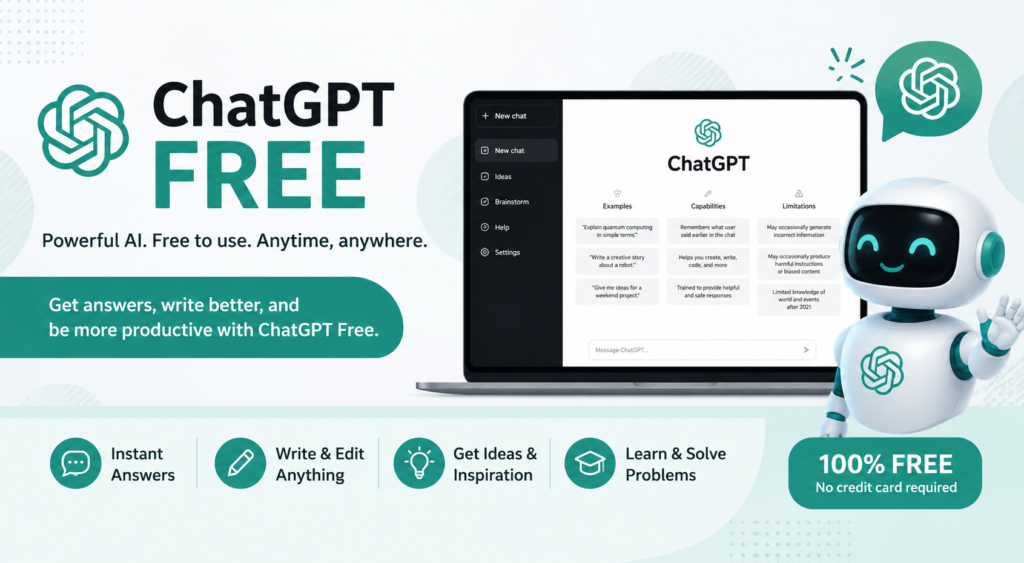
If you want to use AI for writing, studying, research, coding, brainstorming, or everyday questions without paying for a subscription, ChatGPT Free is a practical place to start. The free plan provides access to everyday text conversations along with tools such as web search, file and image uploads, image generation, voice, data analysis, Study Mode, and GPT discovery, although several tools have separate usage limits.
The important point is that “free” does not mean every ChatGPT feature is unlimited. Your available usage can vary depending on the model and tool you are using. So, if you are searching for a ChatGPT free login, a free ChatGPT app, or simply want to know what you can do without upgrading, this guide explains the essentials.
What Is ChatGPT Free?
ChatGPT Free is OpenAI’s no-cost version of ChatGPT. It is designed for everyday conversations, learning, writing, planning, research, and other common AI tasks.
Free users currently have access to GPT-5.6 Luna, web search, file and image uploads, image generation, data analysis, voice, Study Mode, and the ability to discover and use GPTs. Some of these capabilities are limited compared with paid plans.
For most casual users, the Free plan is enough to explore AI and complete many everyday tasks without committing to a subscription.
How to Use ChatGPT Free
Getting started is straightforward.
Use ChatGPT on the Web
Go to the official ChatGPT website, sign in or create a free account, and start a conversation. Once you are inside ChatGPT, type your question or instruction into the message box and submit it.
For example, you could write:
“Explain technical SEO to me like I am a beginner and give me five practical examples.”
You can then ask follow-up questions instead of starting from scratch every time.
Use the ChatGPT Free App
ChatGPT is also available on iOS and Android. The mobile experience lets you chat, use supported tools, and access voice features where available. OpenAI lists web, iOS, and Android access for the Free plan.
If you search for a “ChatGPT free blog app” or “ChatGPT free app,” make sure you are using the official ChatGPT application rather than an unrelated third-party chatbot.
Do You Need to Log In?
An account gives you access to a broader ChatGPT experience, including chat history and account-based features. OpenAI also provides limited logged-out access in supported situations, but creating a free account is generally the better option if you plan to use ChatGPT regularly.
What Can You Do With ChatGPT Free?
The Free plan is more capable than many people assume. Here’s a quick overview of the major features currently listed by OpenAI.
| Feature | ChatGPT Free | Typical Use |
| Everyday text chats | Yes | Questions, writing, brainstorming |
| Web search | Yes | Current information and research |
| File uploads | Limited | PDFs, documents and other files |
| Image uploads | Limited | Understanding screenshots and images |
| Image generation | Limited | Creating AI images |
| Voice | Yes, limited | Conversational interaction |
| Data analysis | Limited | Working with supported data |
| Study Mode | Yes | Guided learning and practice |
| GPT discovery/use | Yes | Using available GPTs |
| Custom GPT creation | No on personal Free accounts | Requires an eligible paid plan |
| Deep research | Limited | More extensive research |
| Memory | Limited | More personalized conversations |
Because OpenAI can change models, features, and usage limits, check the current official plan information before relying on a specific limit.
ChatGPT Free Features Explained
Ask Questions and Get Answers
The most basic use of ChatGPT Free is still one of its most useful. You can ask questions, request explanations, brainstorm ideas, organize information, or work through a problem.
Instead of searching for ten different explanations, you can ask ChatGPT to explain something at the level you need.
For example:
“Explain compound interest using a simple example with $1,000.”
You can then ask it to make the explanation shorter, more technical, or easier for a child to understand.
Search the Web
ChatGPT Free can search the web for up-to-date information. This is particularly useful for topics that change frequently, such as technology, current events, product information, or recent developments.
For current topics, ask ChatGPT to search rather than assuming an older answer is still accurate.
Upload Files and Images
Free users can upload supported files and images and ask ChatGPT to analyze them. This can be useful for summarizing documents, extracting information, explaining screenshots, or reviewing data.
For example:
“Summarize this PDF in five bullet points and identify the three most important findings.”
File and image uploads have separate usage limits on the Free plan.
Generate Images
ChatGPT Free also includes limited image generation. You can describe the image you want and refine the result through conversation.
For example:
“Create a horizontal technology illustration showing an AI assistant helping a small business owner.”
Free users receive more restricted image-generation access than higher-tier plans.
Use Voice
Voice allows you to interact with ChatGPT conversationally rather than typing every message. This can be useful when practicing a language, brainstorming while away from your keyboard, or asking quick questions.
Voice access is available on Free, but usage limits apply.
Study With Study Mode
Students can use Study Mode for step-by-step explanations, practice questions, and guided learning. Rather than simply asking for an answer, you can ask ChatGPT to teach you the underlying concept.
Try:
“Act as my tutor. Teach me this topic step by step, ask me questions, and don’t give me the final answer until I attempt it.”
OpenAI currently lists Study Mode as available on the Free plan.
Discover and Use GPTs
Free users can discover and use available GPTs. However, creating and publishing GPTs is not currently available on personal Free accounts.
That distinction matters because many older ChatGPT guides incorrectly imply that every user can create custom GPTs.
What Are the Limitations of ChatGPT Free?
The biggest limitation is not that ChatGPT Free is unusable. It is that different tools have different limits.
OpenAI says Free users have unlimited everyday text chats subject to abuse-prevention safeguards, while file uploads, image generation, voice, data analysis, and other tools can have separate limits.
This means you might be able to continue chatting while temporarily reaching a limit for image creation or file analysis.
Other differences include lower usage capacity, limited memory and context, limited deep research, and limited Codex access compared with paid plans.
For this reason, be cautious with websites claiming that ChatGPT Free provides “unlimited everything.” The actual experience depends on the specific feature.
Is ChatGPT Free Really Free?
Yes. OpenAI offers a Free plan at no subscription cost. There is no set time limit for using the Free plan.
However, some advanced capabilities have usage restrictions. Paid plans are mainly designed for people who need higher limits, expanded tools, or more advanced capabilities.
So the simplest answer is:
ChatGPT is free to use, but some features are limited on the Free plan.
ChatGPT Free vs Paid Plans
If you only use ChatGPT occasionally, Free may be sufficient. If you regularly use AI for professional research, coding, content production, or large files, a paid plan may make more sense.
| Feature | Free | Go | Plus | Pro |
| Everyday text chats | Yes | Yes | Yes | Yes |
| Web search | Yes | Yes | Yes | Yes |
| File uploads | Limited | Higher | Expanded | Higher |
| Image generation | Limited | More | Expanded | Maximum |
| Deep research | Limited | Expanded | Expanded | Maximum |
| Memory | Limited | Longer | Expanded | Maximum |
| Custom GPTs | No | Yes | Yes | Yes |
| Codex | Limited | Expanded | Expanded | Maximum |
OpenAI’s current pricing page shows that paid plans provide expanded access to tools and higher usage levels. Plan details can change, so use the official pricing page when making a purchase decision.
Who Should Stay With Free?
The Free plan is a good fit for:
- Casual users
- Students with moderate usage
- Bloggers
- People learning AI
- Occasional researchers
- Users who want to test ChatGPT before paying
When Is an Upgrade Worth It?
Consider a paid plan if you regularly hit usage limits, work with large numbers of files, need more image generation, perform extensive research, or depend on AI heavily for professional work.
Best Ways to Use ChatGPT Free
ChatGPT Free for Students
Students can use it to explain difficult concepts, create practice quizzes, review notes, brainstorm projects, and build study plans.
A good prompt is:
“Teach me photosynthesis in three stages. After each stage, ask me one question to check my understanding.”
The goal should be learning, not simply copying AI-generated answers.
ChatGPT Free for Writers
Writers can use ChatGPT to brainstorm topics, develop outlines, improve clarity, rewrite awkward sentences, generate headline ideas, and create content briefs.
For better results, provide the audience, tone, purpose, and desired format instead of simply saying “write an article.”
ChatGPT Free for SEO
SEO professionals can use ChatGPT for keyword brainstorming, search-intent analysis, content outlines, FAQ ideas, meta descriptions, topic clusters, and content optimization.
For example:
“Analyze the likely search intent for the keyword ‘best AI tools for students’ and create an outline that addresses informational and commercial intent.”
AI should support SEO expertise rather than replace keyword research, competitor analysis, first-hand experience, or fact checking.
ChatGPT Free for Business
Small businesses can use it for email drafts, customer-service responses, marketing ideas, product descriptions, meeting summaries, brainstorming, and internal documentation.
ChatGPT Free for Coding
Developers and beginners can ask ChatGPT to explain code, identify potential bugs, generate examples, document functions, or teach programming concepts.
A useful prompt is:
“Explain this JavaScript error, identify the likely cause, and show me how to fix it step by step.”
How to Get Better Results From ChatGPT Free
The quality of the answer often depends on the quality of your instructions.
Instead of:
“Write a blog.”
Try:
“Write a 1,500-word beginner-friendly SEO article about technical SEO. Use H2 and H3 headings, practical examples, one comparison table, and seven FAQs. Keep the tone conversational but authoritative.”
Good prompts usually include:
- Context
- Audience
- Goal
- Format
- Tone
- Constraints
- Examples
Then refine the result with follow-up instructions. You don’t need to get the perfect answer from your first prompt.
Common ChatGPT Free Problems
“I’ve Reached My Limit”
This usually means you have reached a limit associated with the model or a particular tool. Wait until the applicable limit resets or use another available capability.
A Feature Isn’t Available
Not every feature has identical Free-plan access. Some capabilities are limited, while others may depend on availability or account conditions.
ChatGPT Gives an Incorrect Answer
AI can make mistakes. For important information, ask for supporting sources and verify the answer independently. For current subjects, web search can be particularly useful.
ChatGPT Feels Slow
Response speed can depend on network conditions, system availability, and your plan. Free users can have more limited response performance during certain conditions.
Is ChatGPT Free Safe to Use?
ChatGPT is designed with safety measures, but users should still exercise normal digital privacy practices.
Don’t paste passwords, private keys, highly sensitive personal information, or confidential business material simply because an AI tool asks for context.
You should also review AI-generated information before using it in important decisions.
OpenAI provides controls for managing how your data is used, so users who care about privacy should review the current privacy and data-control settings rather than assuming every account behaves identically.
Conclusion
ChatGPT Free is much more than a basic AI chatbot. It can help with writing, learning, research, web searches, file analysis, images, voice, data work, coding, and many everyday tasks without requiring a paid subscription.
Its main trade-off is usage limits. If you are an occasional or moderate user, the Free plan can provide plenty of value. If you consistently need higher limits or advanced capabilities, a paid plan may be worth considering.
The best approach is simple: start with ChatGPT Free, learn how to write effective prompts, test the features you actually need, and only upgrade when the Free plan becomes a genuine limitation.
FAQs About ChatGPT Free
1. Is ChatGPT Free to use?
Yes. OpenAI offers a Free plan at no subscription cost. It includes everyday text conversations and access to several AI tools, although some features have usage limits.
2. Can I use ChatGPT Free without paying?
Yes. You can use the Free plan without purchasing a paid subscription. Paid plans provide expanded access, higher limits, and additional capabilities.
3. Can ChatGPT Free search the internet?
Yes. Web search is available to Free users and can be used to find current information.
4. Can I upload a PDF to ChatGPT Free?
Yes, supported file uploads are available on the Free plan, but file uploads have usage limits.
5. Can ChatGPT Free generate images?
Yes. Free users can create images in ChatGPT, but image generation is limited compared with paid plans.
6. Can Free users create custom GPTs?
No. Personal Free accounts can discover and use GPTs, but GPT creation and publishing are not currently available to personal Free users.
7. Is ChatGPT Free enough for everyday use?
For many people, yes. If you mainly need writing help, explanations, brainstorming, web search, occasional file analysis, or general productivity assistance, the Free plan can be sufficient. Users with heavier workloads may benefit from a paid plan.
You May Also Read: Cute Small Dog Breeds